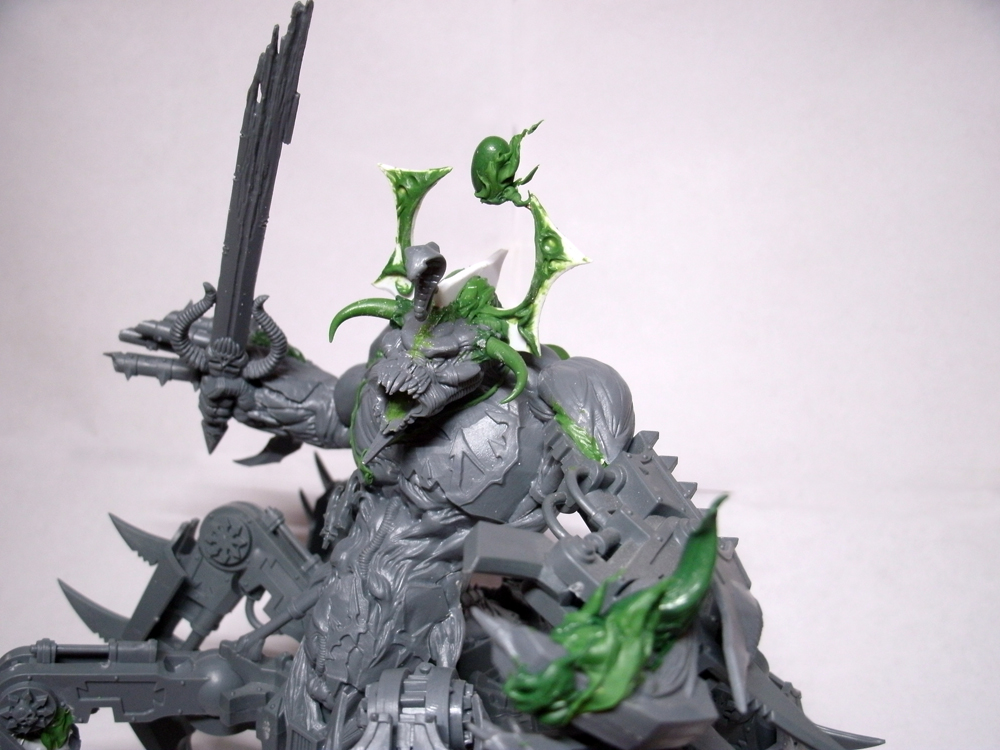
This week's tutorial is for all you DGS Freeblades fans out there and those looking for insights into green stuff modeling. Word has it from rules designer Jon C that a special mission is coming out involving a ton of Skethar demons and a few very bad ass Skethar "alphas."
For his latest commission Jon set me to task to building him one such demonic raiding party and I'm going to take you along as I take two Skethars and turn them into one alpha.
This tutorial is going to be broken into two distinct parts: basic and advanced. The basic portion will involve no major resculpting to create the Skethar alpha, whereas the advanced section will give you a complete run down of how to really knock your conversion out of the park with a bit of green stuff. I'll also be linking to the Gale Force 9 store page when a specific tool is referenced, you'll probably need to scroll down the linked page to find the exact tool in reference, but they're all there!
Ok, let's get started.

Here's the little devil who's going to be getting an upgrade to alpha status. What really makes an alpha is a third pair of arms. For our conversion we're going to do that, plus add a second tail.

On most Skethar sculpts there's a significant amount of flashing in between its left leg and tail, we're going to need to remove that.

A pair of trusty sprue cutters or wire cutters does the job. Make your first cut parallel and flush to the tail, then a second cut likewise with the leg. Bend the flashing up with your cutters/pliers and wiggle it to loosen it where it meets the thigh. Twist the flashing with your pliers to loosen it further and then cut off any excess hanging on.
.jpg)
It doesn't have to be the prettiest bit of cutting because we're going to take out an xacto knife and file the areas smooth where the flash connected to the thigh, leg, and tail. Pare your knife along the thigh taking off large chunks of excess like you're paring an apple. With all but the smallest of leavings removed, take a concave file and file along the contour of the thigh, tail, and leg, smoothing off all excess pewter.

We're left with a nice clean area where the flashing used to be.

This is where the tutorial branches into advanced and basic techniques. Where we're at, we want to add two extra arms and an extra tail, this can be achieved by simply cutting off two arms and a tail from a second Skethar model and gluing them to the one we are currently working on. We'll get to that, but first the advanced route:
 |
| ADVANCED |
 |
| ADVANCED |
The idea is to put in a "riser," something to increase the alpha's height and give room to the new pair of arms and tail.
 |
| BASIC & ADVANCED |
Here are the two Skethars being used: on the right is the one for conversion to alpha, on the left the donor of two arms and a tail.
 |
| BASIC & ADVANCED |
 |
| ADVANCED continues to tutorial's end |
We're going to take advantage of the space created by the riser to make room for the new arms, so let's lay him out and get an idea of how much space we need.

About 1cm looks good.

The foundation for our riser is going to be a metal pin with a green stuff abdomen sculpted over, so the next thing we need to do is drill a pilot hole in both ends of the Skethar with our pinning vice.

I'm using a drill bit that fits a paper clip (.85mm I think..), which is super handy because clips are a dime a dozen.

The new tail goes right next to the old one. I bent both in novel ways to add a bit of variety as well.
 |
| ADVANCED & BASIC tail and arm positioning |
The extra set of arms is best placed snugly under the armpits of the lowest set of original arms.


We can get all of that done without the use of green stuff, but now we need to break out our sculpting tools to build the alpha's abdomen and create transitions between his new arms and his body.
Let's take a look at some helpful tools.

I just picked up these Colour Shapers today, and man, they are sweet. What they are exactly, is a set of rubber tipped smoothing and edging tools, excellent for finishing details. I bought mine at Creative-Coldsnow in Overland Park, KS and the company that makes them is Royal Sovereign Ltd. Each tool comes in an option of sizes, firmness (ranging from soft to firm to extra firm), and shape. For my uses I picked out an extra firm 0 flat chisel, a firm 0 chisel, and a firm 0 cup round.


The Colour Shapers are great for finishing and crisping detail, but the real bread-and-butter work is done with a selection of GF9 metal sculpting tools. My favorites are the narrow spade/wide spade tool and the curved knife/flat round tool.

The narrow spade is excellent for applying green stuff, smoothing it to the model and building the shape you want your sculpt to take. The curved knife is great when pressing into narrow cracks and making sharp lines.

The wide spade excels when you need to flatten a piece and the flat round is likewise, but when you need to get into a nook or cranny that the WS won't fit.

To begin sculpting, I mixed up some green stuff and pulled off a blob that would wrap completely around the model, flush with both the torso above and the hips below. Don't worry so much about clean lines now, we'll take care of that in a bit.


Next, I applied a bit of 'stuff to give some ribs to the alpha and bulk out its tall core. This is a great time to get in there with your rubber tipped tools and create ab lines and rib contours. Gently draw the tool (I suggest using the angle chisel) across the 'stuff deepening the grooves you're making with each pass until they begin to take shape. The cupped chisel is great for rounding out the edges you've created ensuring they don't look boxy and contrived.

On the back I'm placing little balls of 'stuff and then smoothing them into their surroundings to create more spines. While I'm working I'm also creating transitions between the new arms and body. Notice how the left lower arm's transition is a bit bulkier than the right? That's because the muscles there would be contracted and flexed to have the arm back in withdrawn position. Use your own arm/shoulder for reference!

The main thing when working with new sculpting tools and green stuff is to experiment. Take the instructions here as a general guide and see what works for you. Play with the green stuff at different stages of setting (drying) to see how it reacts to you manipulating it with tools. Sculpting is a learning process, don't be afraid to mess up to come back later with an xacto to cut off what you did and start over.


That's it, an alpha to lead the pack. I hope you found this tutorial to be both helpful insightful and takes your hobby to the next level!
Come back again next week to see what else we're creating at the Monster Lab!